
Broadcast
Use this feature to broadcast messages to your users! Just a few settings needed.
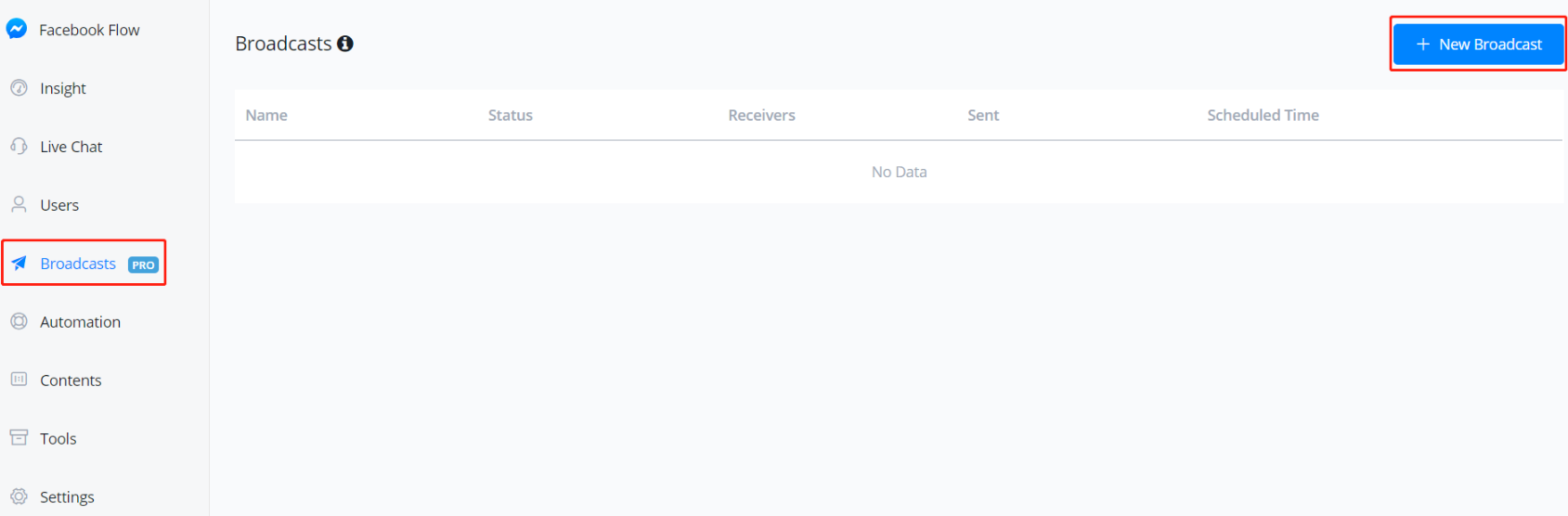
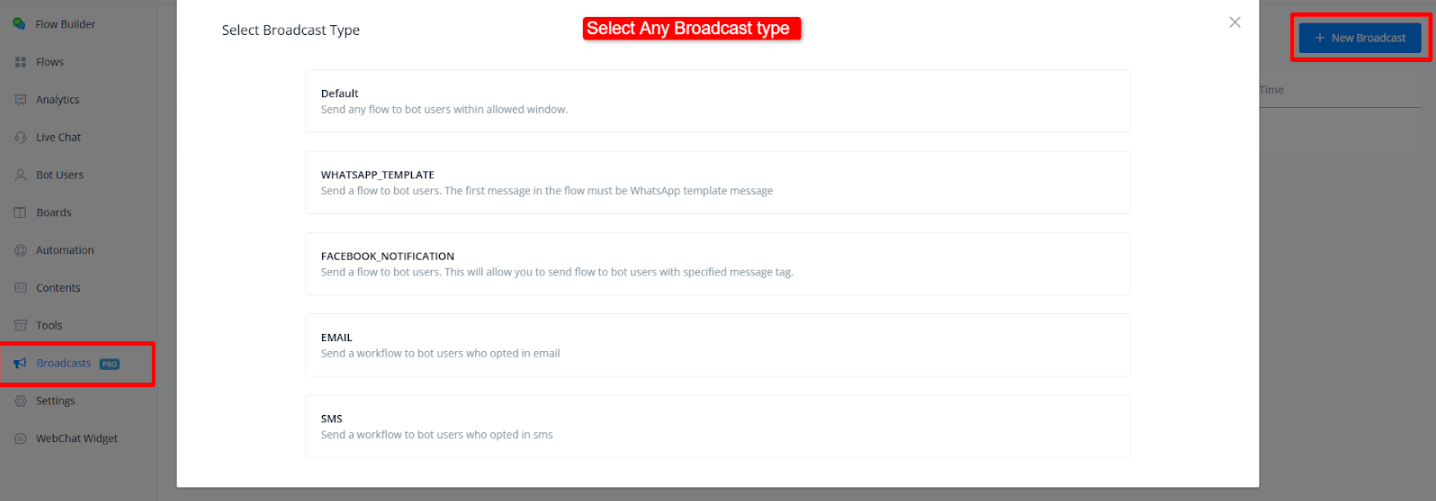
Go “Broadcasts” from the left sidebar, then click ”+ New Broadcast”.
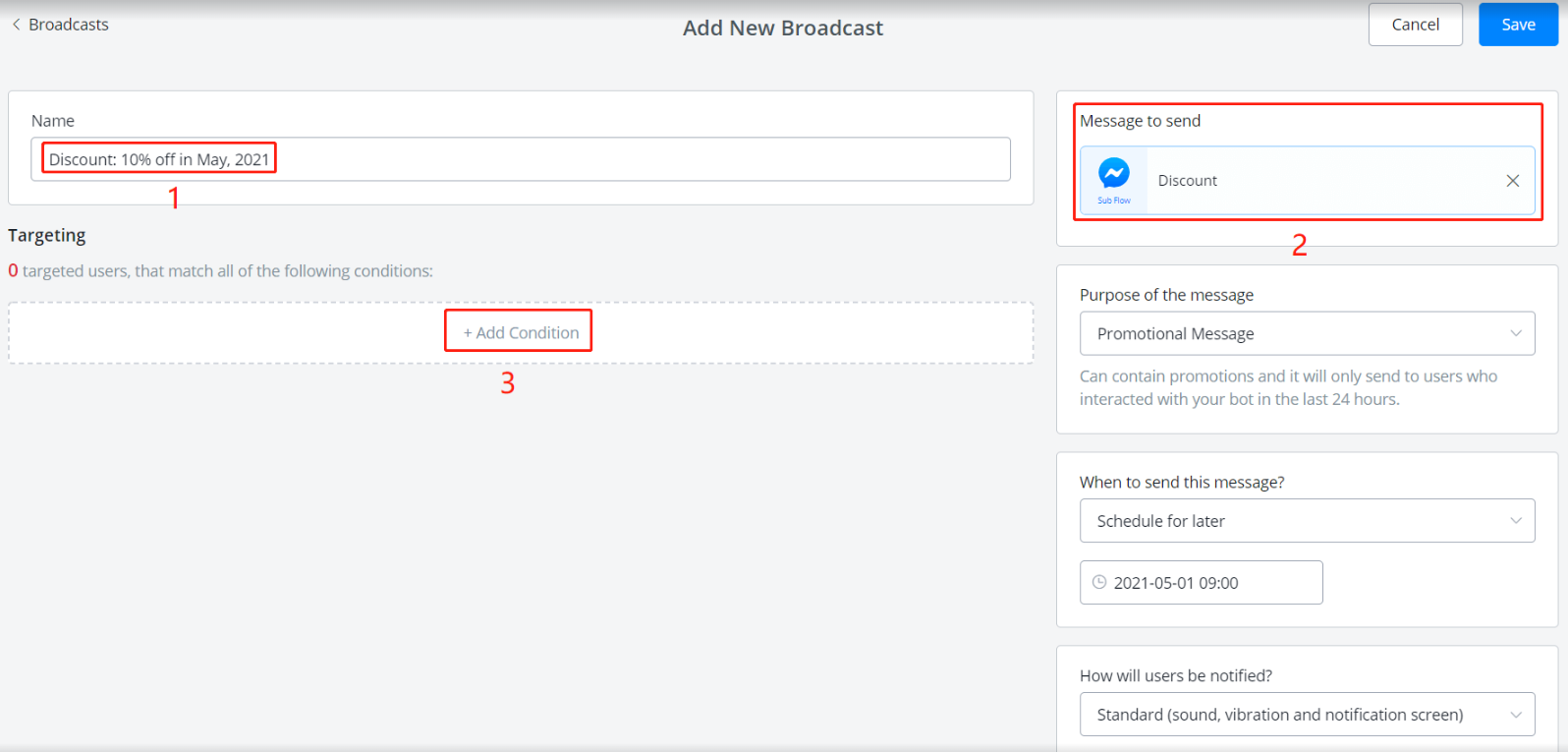
To setup:
- give a broadcast title (for yourself, not users)
- select a sub flow
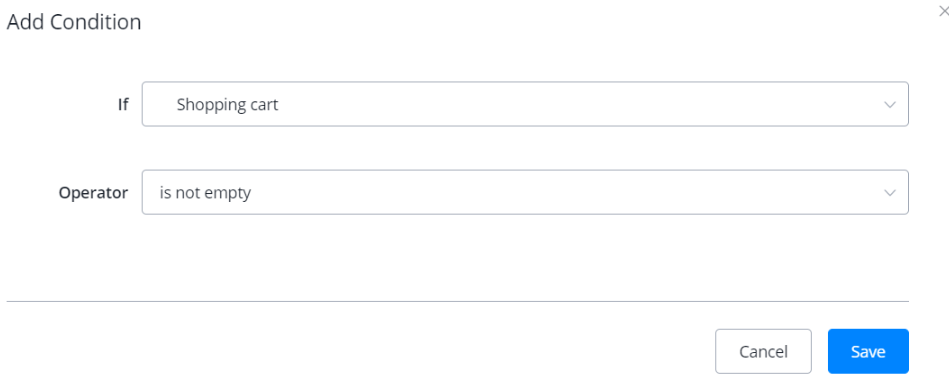
- add conditions to filter who will receive this broadcast message
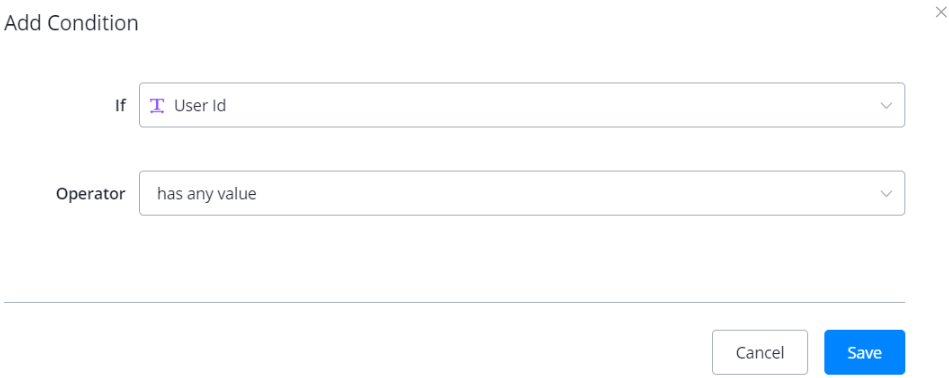
💡 TIP - to send to all users, try this condition “If User Id has any value”.
Filling in the rest settings like message type and time to send then click “Save”.
If you choose “Now” for the schedule, the message will be sent once you click “Save”. If not, you can cancel the broadcast anytime before it sent.
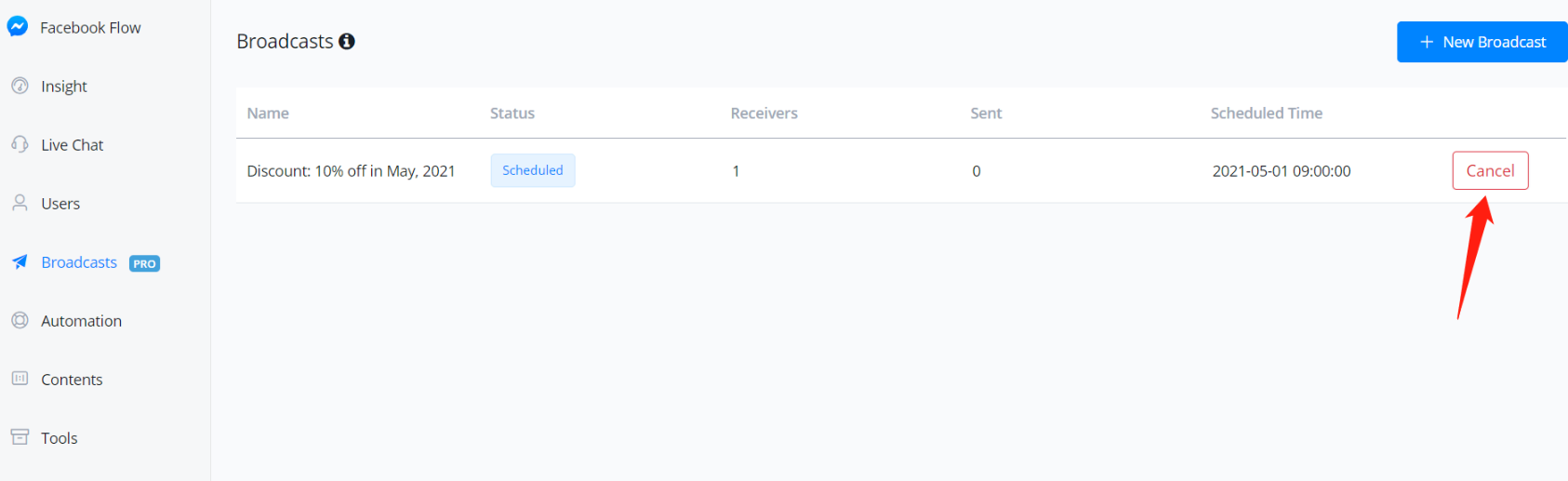
Here is also where you check broadcast history and data.
Max Users Per Minute Setting
Max Users Per Minute, allows you to adjust the number of users who will receive the broadcast message per minute. This can help in sending messages more gradually, making the broadcast appear more human-like and less automated.
New Feature: Max Users Per Minute
The Max Users Per Minute setting has been added to the broadcast feature. It allows you to control the delivery speed of broadcast messages.
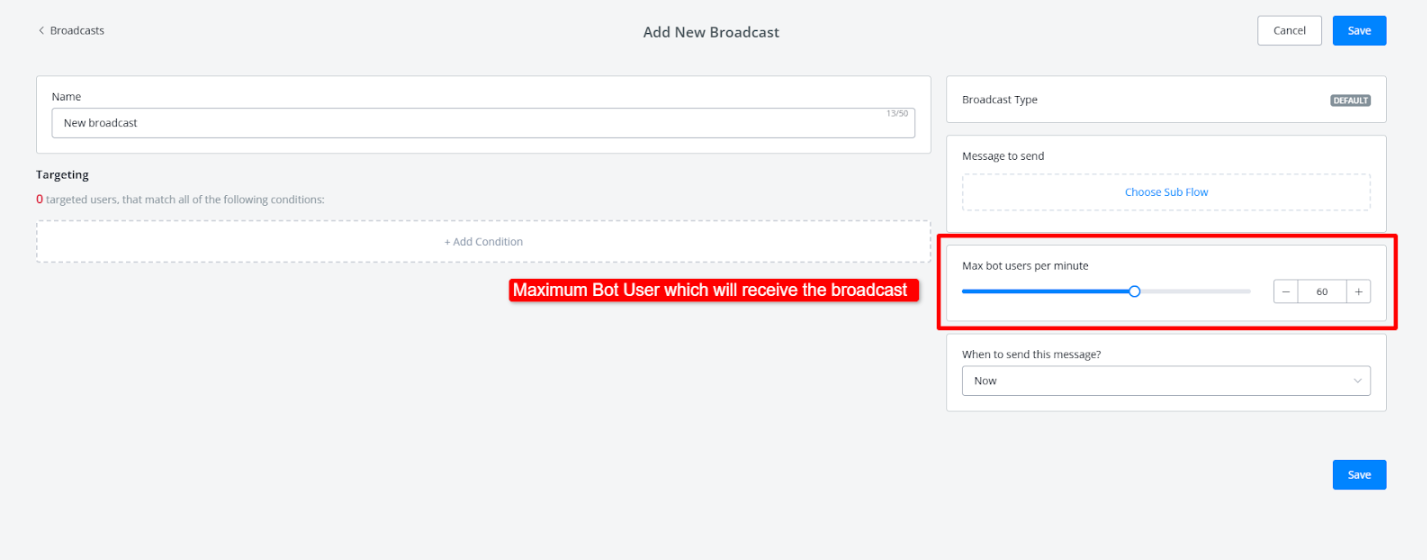
Go to Create New Broadcast, Select any broadcast type that supports this feature.
Then, under the settings, choose the Max Users Per Minute option. The maximum value is 100 users per minute.
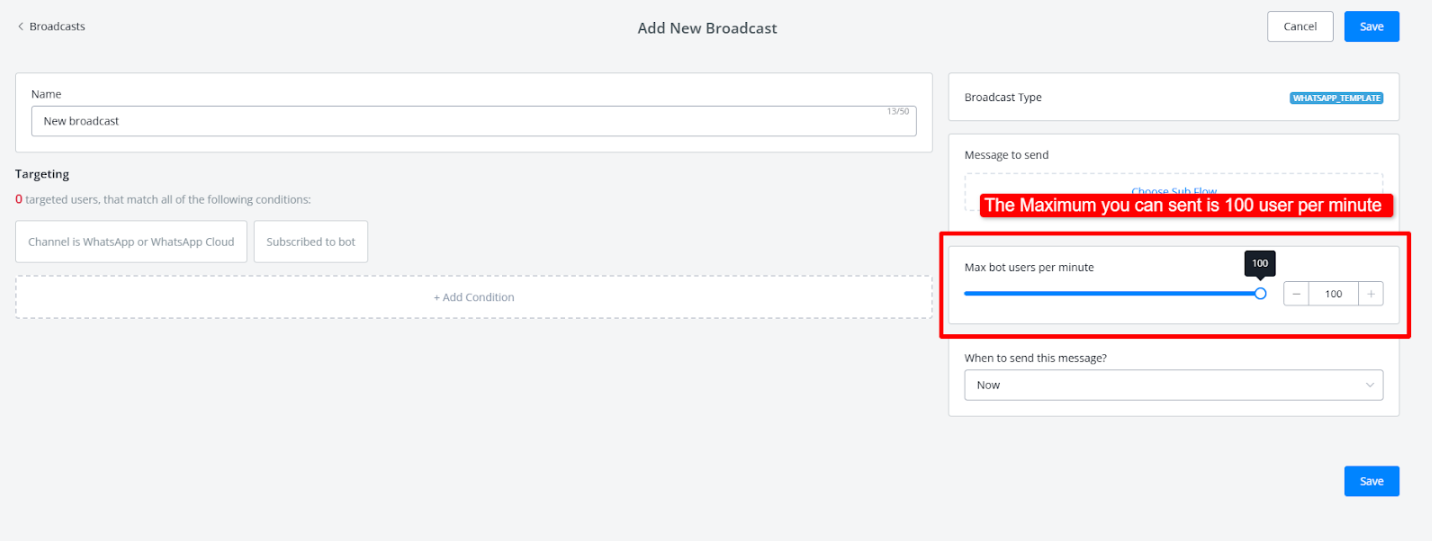
This feature is especially helpful if you want to avoid sending the broadcast too quickly to a large number of users. By slowing the process down, you can make the communication appear more gradual and humanized, improving the user experience.