
Integration platforms
Zapier
Zapier is a fantastic automation platform that lets you connect with thousands of third-party software.
In order to add Messgaingme.app to your Zapier account, it requires just a few steps.
From the main dashboard go to Integrations from the left-hand menu, then select Zapier from the list.
Press the button named Start Zapier integration.
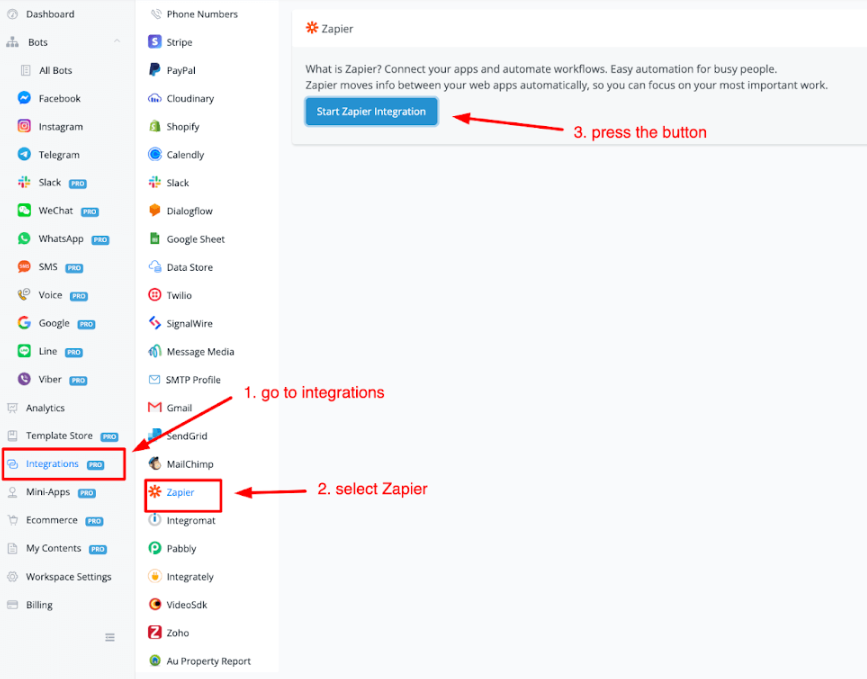
How to add Messagingme.app (chatbot app) to your Zapier account
Once the button to start the Zapier integration has been pressed you will be taken to a webpage where you are invited to try out the Messagingme.app
Press the button to add the app to your custom integrations section inside your Zapier Account.
To find the Messgaingme.app go to My Apps, then Custom Integrations. Press the Chatbot app to connect your account from MessagingMe to Zapier.
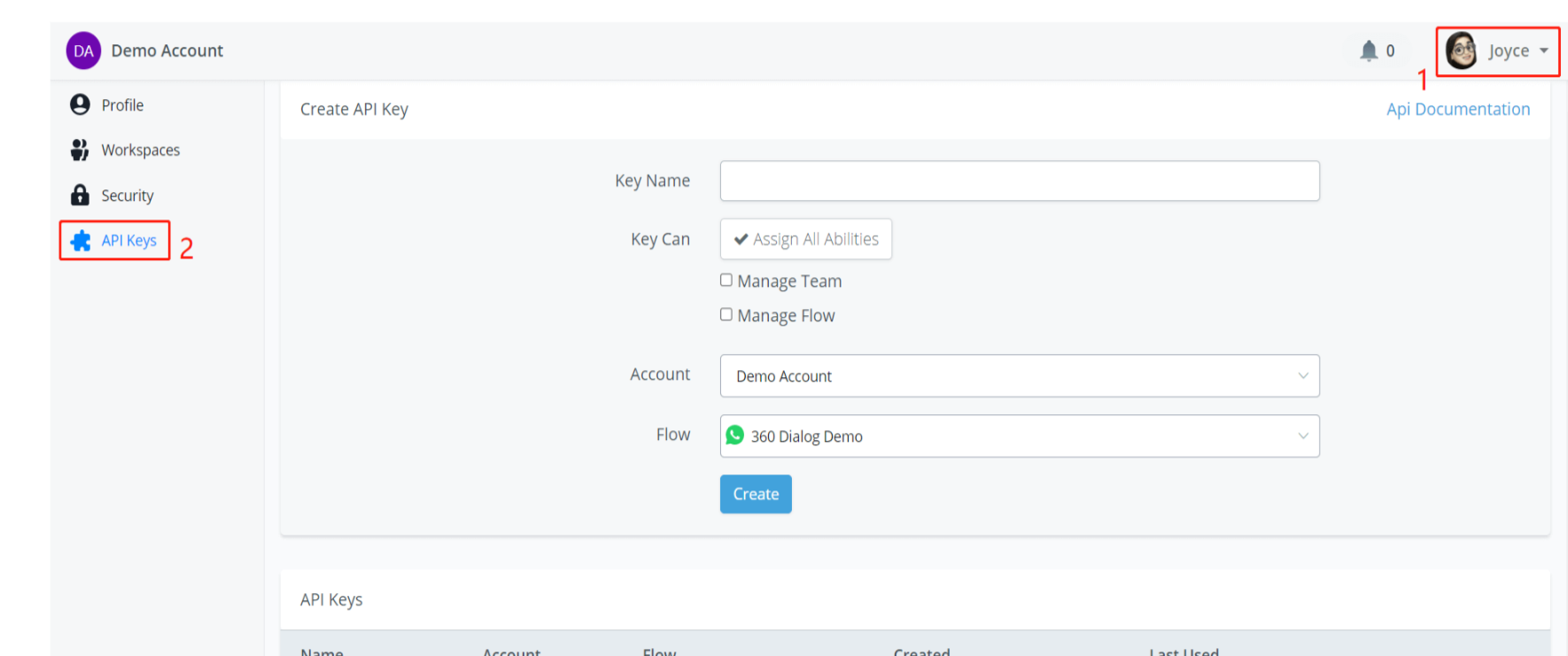
Here you will need to enter your API token. If you do not know how to generate an API token inside of your Messagingme.app account then take a look here :
You can access the “API Keys” page from area 1 in the above screenshot.
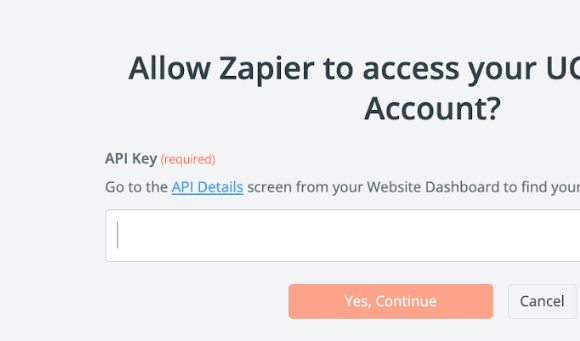
Once you pasted in your API key then press the button Yes, Continue. Zapier will connect to your Messagingme.app chatbot of choice and once done you will see it displayed in your connections overview.
Make
Make (ex integromat) just like Zapier is an automation platform where you can connect to hundreds of third-party software.
To integrate Integromat with your you only have to make a few steps.
From your dashboard go to Integrations from the left-hand menu. Then select Integromat.
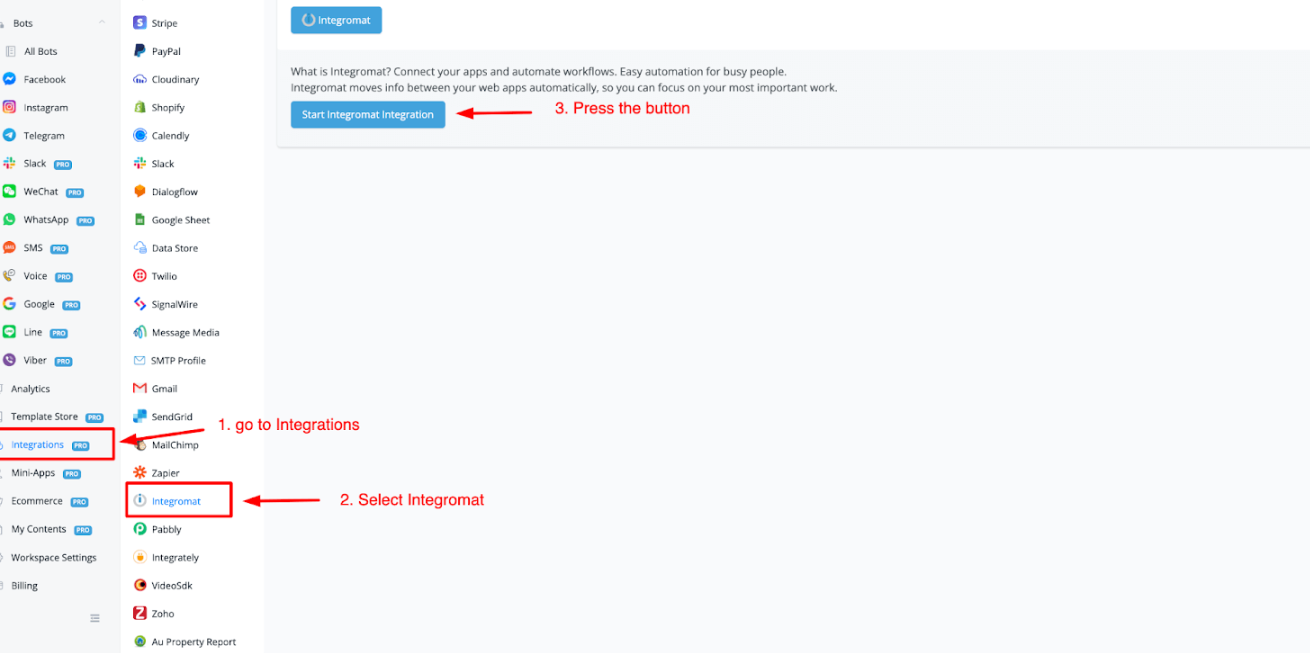
From here press the button mentioned in step 3 called Start Integromat Integration.
How to add Messagingme.ap to your Integromat account
Once you press the above button you will be taken to a webpage. If signed into your Integromat account the app will be added and you can start using it.
How to use Integromat
Once added you can build a new scenario. Search for the app Messagingme.app and you should find it now (chatbot app)
Once you have added the app inside the scenario you will have access to different triggers and actions.
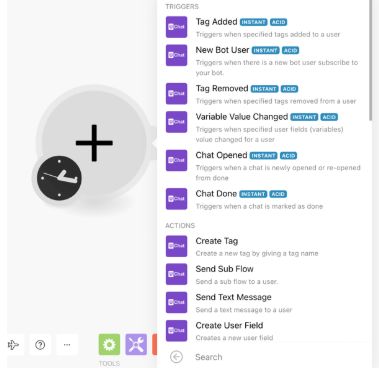
If we want to create a tag for example then we will need to be able to connect to our Messgaingme.app chatbot.
For this you will need an API key.
Insert your API Key and then press the button Continue.
Once connected you can set up your entire automation inside of Integromat.
Pabbly
Like Zapier and Integromat Pabbly is another automation platform that allows you to connect to different third-party software.
To start connecting to your Pabbly account go to the Integrations from your left-hand menu, then choose Pabbly.
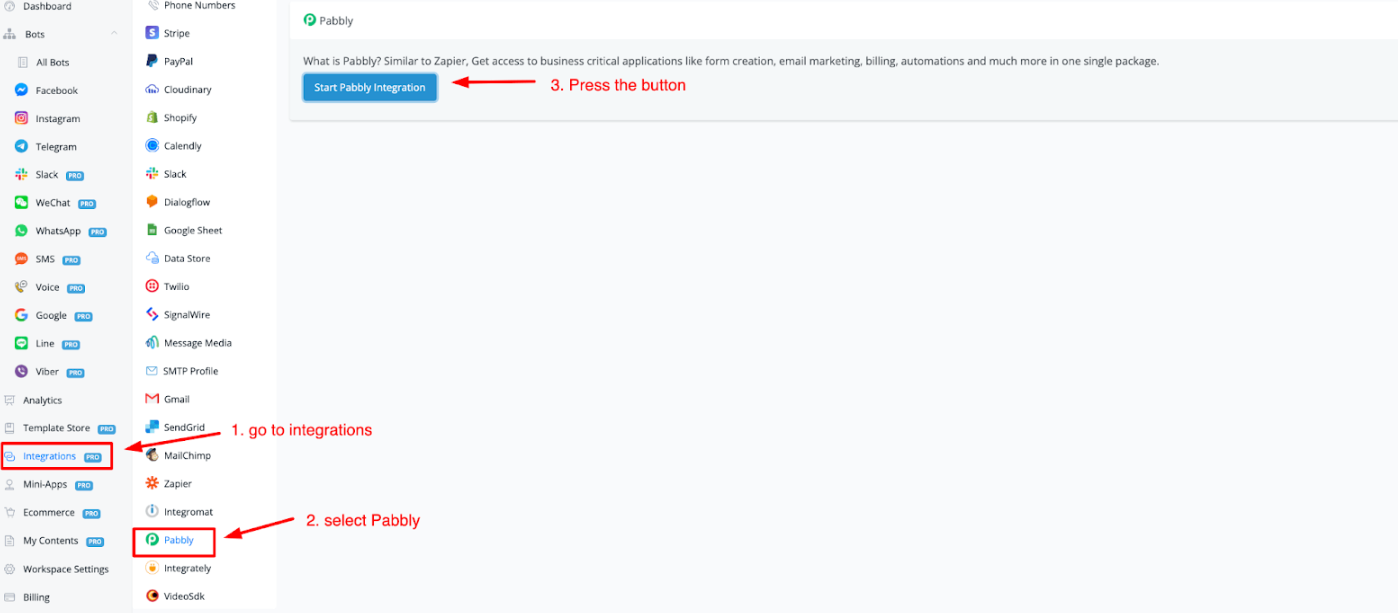
How to add Messagingme.app to your Pabbly account
Once the above button is pressed it will take you to a webpage. From here press the button Connect Messagingme.app for free.
When you are signed into Pabbly it will take you to the main dashboard at Pabbly (opens new window).
From here you can go to Pabbly Connect and create your automation. When searching for apps type in Messagingme.app and it should show up now.
Select the action and or trigger then press connect to select the chatbot connection.